Anonymous Verified Buyer
" Very responsive and helpful, competitive pricing. Good source! "
July 2025
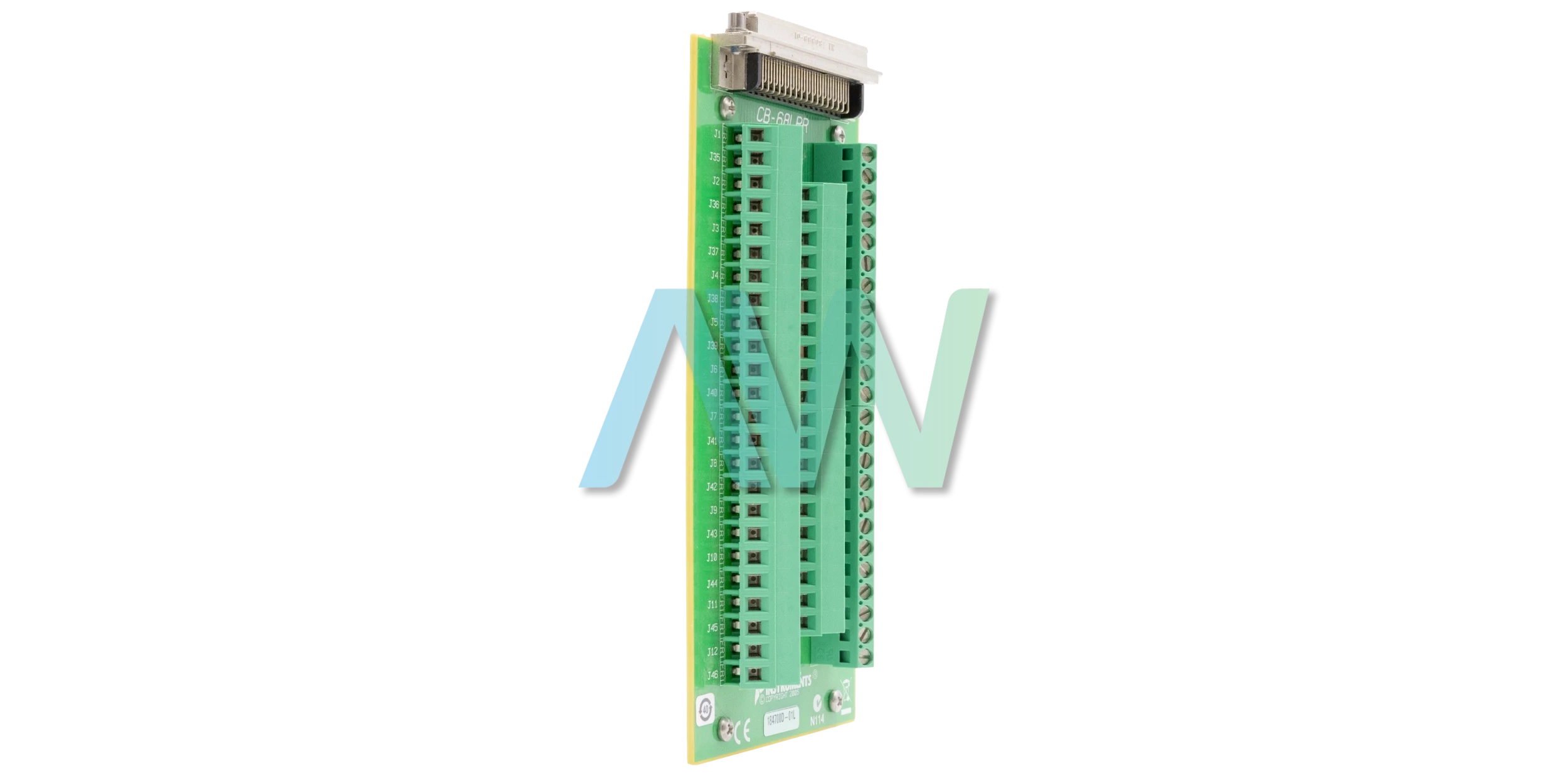
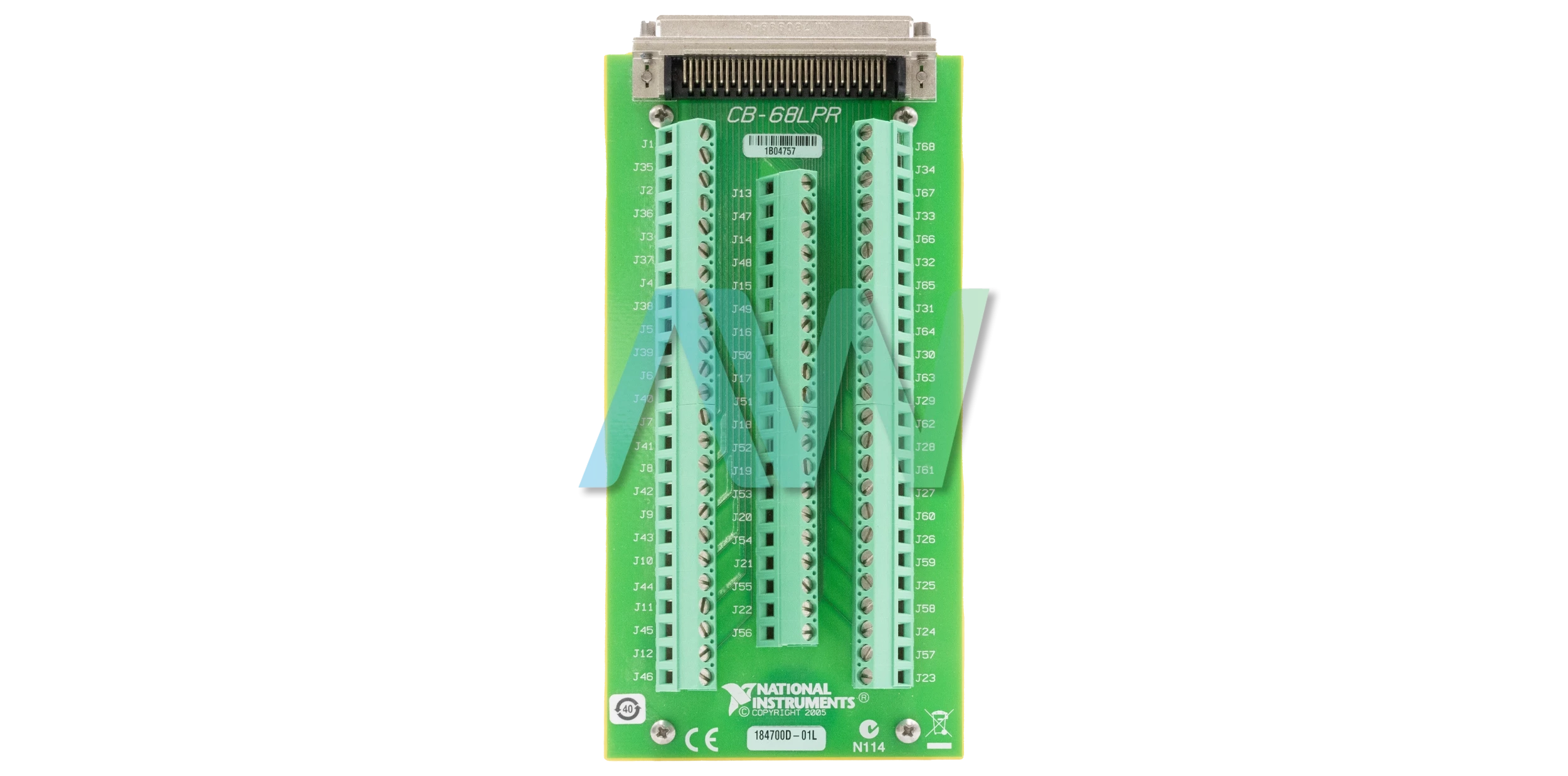
777145-02, 68-Pin DAQ Device, 162 g, CB-68LPR Connector Block
Actual item may vary if no part number is provided on quote request.


✔ 2 Year Warranty Included
✔ Free Domestic Ground Shipping
✔ NIST Calibration Available
Anonymous Verified Buyer
" Very responsive and helpful, competitive pricing. Good source! "
July 2025
Andrew Gar**** Verified Buyer
" Amazing to work with and had my order within 1 week after purchasing with all NI certs and data that were needed. "
March 2025
Said Sai**** Verified Buyer
" Competent contact for highly specialized components. The support team is very knowledgeable. Many thanks for the help and the fast shipping! "
January 2025
Bob C**** Verified Buyer
" Jason was able to get our emergency situation taken care of quickly and professionally. "
May 2025
Gregg Flecki**** Verified Buyer
" Great service and great products. This is my 2nd time using Apex Waves, truly impressed. "
January 2025

Carol Zimme**** Verified Buyer
" Very responsive and helpful, competitive pricing. Good source! "
July 2025
Andrew Gar**** Verified Buyer
" Amazing to work with and had my order within 1 week after purchasing with all NI certs and data that were needed. "
March 2025
Said Sai**** Verified Buyer
" Competent contact for highly specialized components. The support team is very knowledgeable. Many thanks for the help and the fast shipping! "
January 2025
Bob C**** Verified Buyer
" Jason was able to get our emergency situation taken care of quickly and professionally. "
May 2025
Gregg Flecki**** Verified Buyer
" Great service and great products. This is my 2nd time using Apex Waves, truly impressed. "
January 2025
National Instruments 777145-02 Connector Block
Part Number 777145-02 is the identifying part number for the National Instruments CB-68LPR Connector Block. The 777145-02 features 68 screw terminals for easy connection to a NI 68-pin DAQ device. To use the module with a compatible 68-pin DAQ device, you will need a 0.152 in. flathead screwdriver, a 0.0509 to 3.31 mm2 (12 to 30 AWG) wire, wire cutters, and wire insulation stripper. Note that you should also have a correct cable for your connected device.
To get started with the 777145-02, you should first remove all the cables that are connected to the module. Then, connect the wires to the screw terminals by stripping sufficient insulation (6mm) and securely tighten the screws with the flathead screwdriver. The torque on the screw terminals should be about 0.5 Nm. After this, the module can be connected to the appropriate DAQ device using proper cabling. When this is done, open up the Measurement and Automation Explorer (MAX) on your PC and ensure that your DAQ is recognized. This can be done by expanding the Device and Interfaces section on the left panel. To test specific device functionality, a test panel can be run in MAX by right clicking your DAQ device, selecting Test Panels, and clicking on Start.
When using the 777145-02, the user must be careful not to connect input voltages over the rated limit which is >30 Vrms/42 Vpk/60 VDC. These voltages can damage the connector block, the connector device, as well as the host computer. The recommended temperature range for the operation of the 777145-02 is 0 to 70 °C at a relative humidity of up to 5% to 90% RH. Likewise, the device is only meant to be used indoors within a maximum altitude of 2000m. On the other hand, it can be stored at –20 to 70 °C. Note that the module must be installed inside a suitable enclosure before it is put into use. Likewise, if the connected device has EMC requirements, this module should not be used until it is properly installed inside a shielded enclosure.
| Model | 777145-02 |
|---|---|
| Model Name | CB-68LPR |
| Part Type | Connector Block |
| I/O Connector | One 68-pin male SCSI connector |
| Screw Terminals | 68, all I/O signals are available at screw terminals |
| Connects to | 68-pin DAQ device |
| Screw Terminal Wire Size | 12 to 30 AWG |
| Physical Dimensions | 6.60 in. × 3.00 in. × 1.15 in. |
| Weight | 162 g (5.7 oz) |
| Operating Temperature | 0 to 70 °C |
Associated part numbers for 777145-02:
Delivery:
Eligible returns may be accepted within 30 days at Apex Waves’ discretion. A 25% restocking fee applies; non-refundable and built-to-order products are excluded.
Payment:






Receive Price & Availability Today!
Ask About Our Tiered Calibration Levels
Option & Modules:
Confirm Your Requirements or Versions
Cost & Lead Time Available Upon Request for Service
Repair Evaluation: $150
Common Typos: