


Setup and Optimize the National Instruments PXI-5441 Waveform Generator
Listen to this blog post here. The National Instruments PXI-5441 is a powerful PXI waveform generator designed...
October 25, 2024







Do you know what the most important considerations are when you are choosing a PXI or PXI Express (PXIe) chassis for your test setup? While it may seem as simple as just picking the right number of slots for your modules, the chassis you choose also impacts factors such as the power, cooling, and communication of your setup. Let’s take a look at the most important things to keep in mind when choosing a chassis for your instrumentation!
The three most essential elements of the modular PXI platform are the chassis, controller, and modules.
The controller can be compared to a computer. It operates as the “brain” of the system, overseeing operations between the modules such as synchronization and data flow. The controller performs computations and analysis on the collected data, allowing for measurements that are accurately timed and controlled.
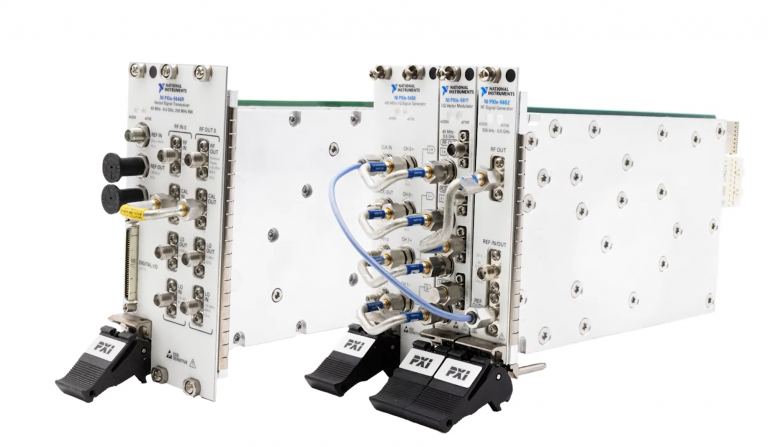
Each individual module has a specialized purpose within the system, from generating waveforms to converting signals. Different PXI module types include function generators, digital or analog input/output modules, and RF/microwave modules.
All of these elements are housed within the chassis, which is much more than just an enclosure. The chassis distributes power and cooling for each module and the controller, ensuring that they are protected from external forces and mechanical stress. The chassis is what determines how well the entire system scales and performs by providing the cooling, power distribution, backplane communication, timing/trigger resources, and controller support.
One of the most important things to keep in mind when searching for the right chassis slot count is not just taking into account the modules that you need today; you should also consider how much your system might need to scale in the future without upgrading to an entirely new chassis. PXI Slot Blockers and PXI Filler Panels can be used to cover unoccupied slots in order to maintain cooling and power requirements.
To determine how many slots are best for your setup, think practically. Will your chassis need to travel between different locations? Will it be rack-mounted or sit on a lab bench? Most commonly, PXI chassis range from 4 to 18 slots. There are some exceptions, such as the ultra-compact PXIe-1090 which only has 2 slots. Any chassis with fewer than 8 slots is considered a small/compact form factor. Smaller chassis are ideal for benchtops or portable systems, while larger chassis with high slot counts are most often the best choice for expandable test systems or more permanent installations.
PXI and PXIe chassis have different slot types that may only be compatible with specific modules or controllers. PXI is based on the conventional PCI (Peripheral Component Interconnect) bus design, meaning that a PCI bus is used for data transport within the PXI system. On the other hand, PXIe utilizes the PCIe (Peripheral Component Interconnect Express) bus design, which delivers significantly faster data transfer speeds when compared to the previous PCI bus.
As a result, PXI and PXIe modules are not automatically interchangeable. Never assume that a PXI module will work within a PXIe chassis unless the specific slot is hybrid/backward-compatible. Hybrid slots are vital for mixed systems, offering support for both older PXI and newer PXIe modules.
Small symbols beneath the slot on the PXI chassis correlate with the symbols found in the top-right corner of different PXI and PXIe cards, indicating compatibility. If a slot is compatible with multiple types of cards, the symbols are combined.
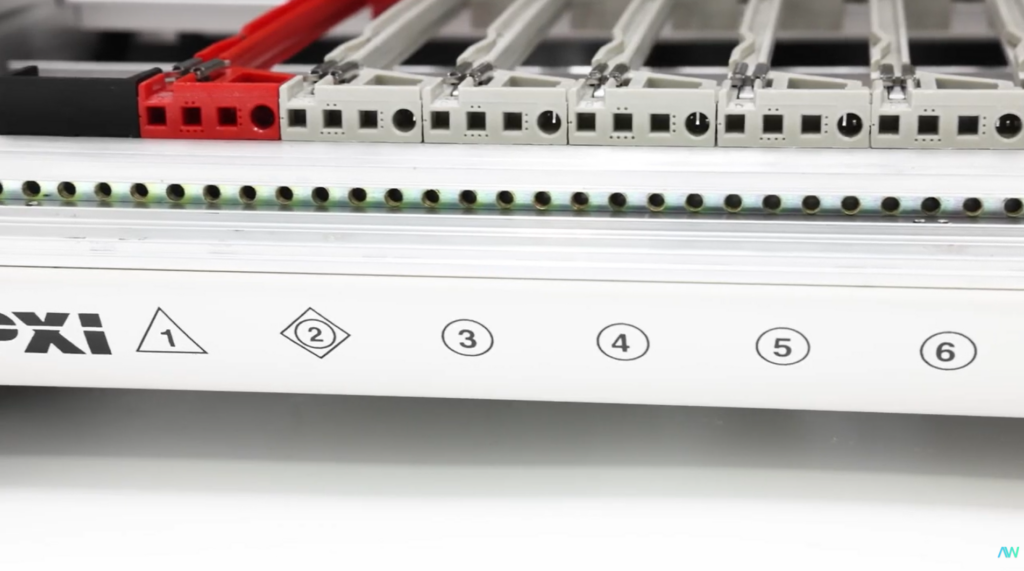
These symbols include:
• A hollow square for system timing slots.
• A hollow diamond for star trigger slots.
• A hollow circle for PXI peripheral slots.
• A solid circle for PXIe peripheral slots.
• A solid circle with a superscript “H” for hybrid peripheral slots.
• A hollow triangle for PXI system controller slots.
• A solid triangle for PXIe system controller slots.
• A solid circle inside of a hollow square to indicate compatibility with both PXIe system timing and PXIe peripheral slots.
The bandwidth of the chassis backplane determines how quickly data moves between the modules and the controller. This is less important for systems that have low channel counts, low-speed DAQ, or slow measurements.
Bandwidth becomes incredibly important, however, if your system includes RF instruments, waveform generators, high-speed generators, or multiple modules streaming simultaneously. PXIe chassis are the preferred choice for high-bandwidth applications, as they can provide a much higher throughput than traditional PXI can. If you are working with large datasets or instrumentation that requires high-speed data acquisition, make sure that your chassis has the appropriate amount of bandwidth available.
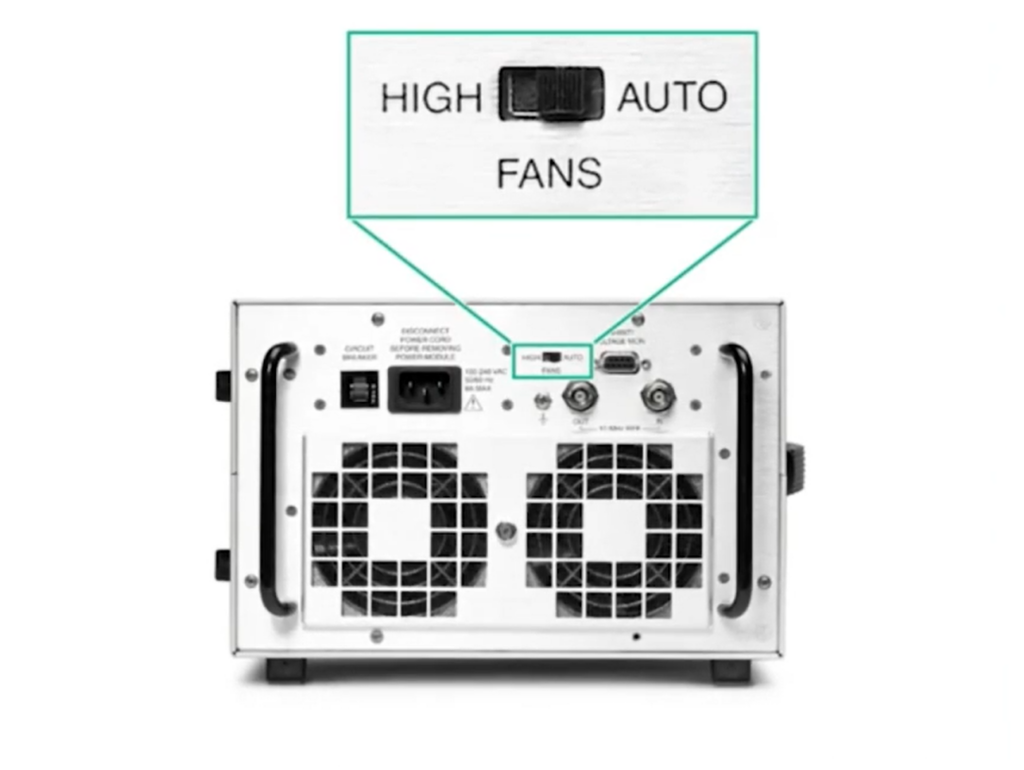
High-performance modules are capable of generating a significant amount of heat during operation, which requires a reliable cooling system to prevent damage from overheating. Modules have specific temperature ranges that they must operate within to achieve optimal performance.
The PXIe power specification requires that there is a minimum of 30 W of power and cooling for each peripheral slot. PXIe chassis from NI exceed these expectations by supplying at least 38.25 W to these slots.
When evaluating the technical specifications of a chassis, be sure to consider the slot cooling capacity, fan design, and airflow direction to determine if the cooling capabilities will meet the needs of your application.
As previously mentioned, the chassis backplane is what powers each PXI/PXIe module. When considering the necessary power capacity for your chassis, be sure to take the individual power requirements of the modules and the controller into account. This is another instance where you will want to consider any future scaling/expansion and leave a margin for the system instead of running it at maximum capacity.
The cooling capabilities and the power capacity often go hand-in-hand. Strong power and plenty of headroom for cooling will make your system stable and expandable!
The timing and synchronization abilities of PXI are why many engineers choose the platform in the first place! Timing and trigger resources are what allow the modules to coordinate measurements much more closely than standalone instruments.
PXI chassis have a 10 MHz input clock, while PXIe chassis have a 100 MHz differential system clock. PXI chassis also feature a dedicated local and trigger bus, while PXIe chassis have differential signaling.
Applications that require strong timing and synchronization include HIL (hardware-in-the-loop) systems, RF testing, multi-channel measurements, dynamic signal acquisition, and automated validation.

There are two main ways to control a PXI/PXIe chassis: with an embedded controller or with a remote controller. While neither option is inherently better than the other, the specific workflow and requirements of your application may make one more useful than the other.
Embedded controllers are cleanly integrated into a system by being installed directly into the chassis. These offer a totally self-contained system and are a great choice for compact or permanent test system setups.
Remote controllers connect the chassis to an outside controller such as a desktop PC, laptop, or other system. This allows for easier PC upgrades and external computing, making it an especially helpful choice for laptop-based workflows.
At Apex Waves, we offer support for both new and legacy PXI/PXIe systems. With our large inventory of products that are in stock and ready to ship, we help you get the exact part you need right when you need it!
Our PXI Configurator tool is the only one that includes legacy modules and offers an easy way to build out your potential PXI(e) system. Use it to visualize which chassis, controllers, and modules are compatible with one another and which would be the most beneficial for your unique setup!
A monthly email packed with valuable content—industry news, tutorials, obsolescence updates, and more. No sales pitches, just insights we think you'll find helpful!
Listen to this blog post here. The National Instruments PXI-5441 is a powerful PXI waveform generator designed...
Click here to listen to this post. Companies in almost every industry are being transformed...
Listen to this post here. The PXIe Platform from National Instruments offers an incredibly valuable toolset for...

Click here to listen to this post instead. It is no secret that simulation and...