


Setup and Optimize the National Instruments PXI-5441 Waveform Generator
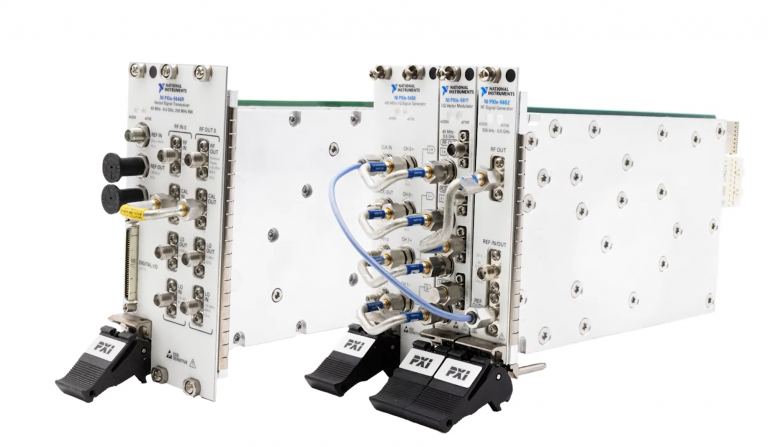
Listen to this blog post here. The National Instruments PXI-5441 is a powerful PXI waveform generator designed...
October 25, 2024







Maintaining obsolete test equipment is key to supporting long-term system performance, reliability, and avoiding unexpected downtime. In this article, we’ll walk through proven best practices for extending the life of your legacy devices—from routine inspections and cleaning tips to calibration strategies and smart storage solutions.
Legacy systems continue to deliver reliable and precise measurements long after newer models hit the market, making them a valuable asset in many production environments. But just like any form of equipment, their longevity depends on how well they’re cared for.
Proactive maintenance helps you avoid costly downtimes and replacements. With regular upkeep, obsolete test systems can operate smoothly for years, providing consistent performance and helping you avoid the disruptions that come from sudden hardware failures or calibration drift. No matter which industry you work in, properly maintaining your test equipment not only protects your investment but also keeps your workflows efficient and reliable.
Routine inspections are one of the most effective ways to extend the life of your obsolete test equipment. Over time, even the most reliable systems can experience wear and tear—especially around connection points. Regularly checking for signs of damage, corrosion, or debris helps catch small issues before they turn into costly repairs or performance failures.
Inspect connectors and ports for buildup or discoloration, which may indicate corrosion. Debris such as dust or grime can interfere with signal quality and should be gently removed. One common issue with legacy equipment is bent connector pins. These can often be carefully realigned using a flathead precision screwdriver, restoring a secure and accurate connection without replacing the entire module.
The routing and storage of your cables are equally important. Ineffective cable management can accelerate wear by placing needless strain on ports and connectors. To keep cords clean and prevent tangles or severe bends that could eventually weaken the wire’s integrity, use cable ties. In addition to extending the life of your equipment, well maintained cabling makes your workspace safer and cleaner.
Dust is one of the biggest enemies of test equipment, especially for aging or obsolete systems where replacement parts may be harder to find. Over time, dust accumulation can restrict airflow, trap heat, and cause components to overheat, ultimately shortening the lifespan of your devices. That’s why regular cleaning should be a part of your maintenance routine.
Start with the filters. Dirty filters reduce fan efficiency and can lead to thermal issues. For example, in the PXI-1044 chassis, cleaning the filters with compressed air is a quick and effective way to keep cooling systems operating smoothly. Depending on usage and environment, filters may need to be cleaned monthly or even replaced periodically.
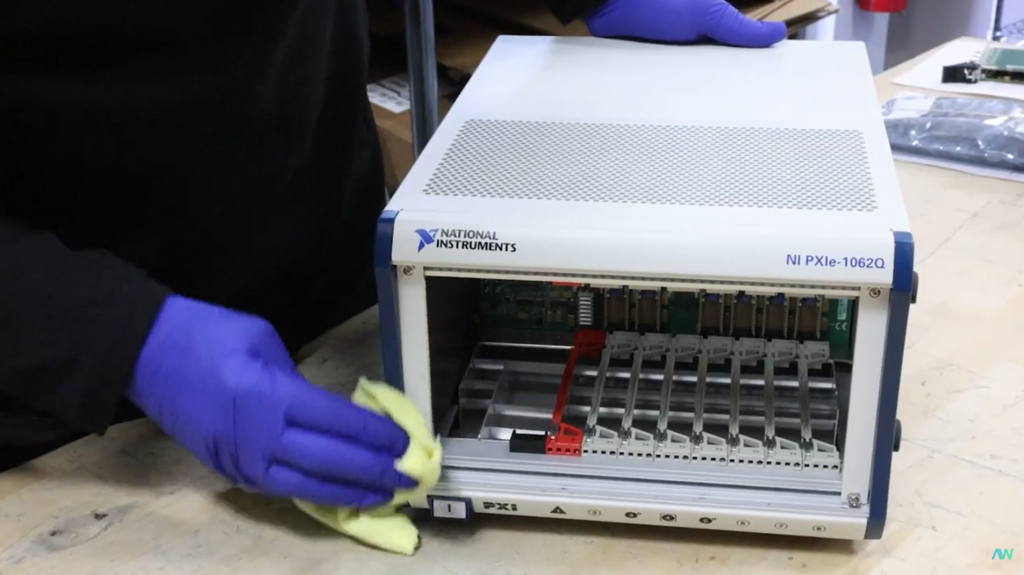
For the exterior surfaces, use a microfiber cloth to gently wipe away dust and fingerprints. When cleaning screens, always use anti-static cleaners to prevent static buildup and scratches—harsh chemicals can damage coatings or leave residues that attract even more dust.
When it comes to internal components, take extra care. Circuit boards and connectors should be cleaned using a soft-bristled toothbrush and isopropyl alcohol (preferably 90% or higher). This method is especially useful for reaching tight areas around chips, terminals, and sockets where grime tends to collect. Make sure to be both gentle and thorough—this kind of preventative care helps avoid signal interference and improves overall equipment performance.
With a little routine effort, you can dramatically improve airflow, reduce thermal stress, and preserve the accuracy and longevity of your test equipment.
Regular calibration is an integral part of your maintenance routine, not just for keeping compliance, but for ensuring the accuracy of your measurements and avoiding costly errors that could compromise an entire system or experiment.
Most manufacturers, including National Instruments, recommend calibrating devices every one to two years, depending on usage and/or environmental conditions. Following this schedule helps to detect deviations early on and ensures your data stays within acceptable tolerance ranges.
For precision and traceability, it’s best to choose a NIST-accredited calibration service. These providers follow strict standards to uphold the consistency and trustworthiness of results. Calibration certificates from accredited labs also support audit requirements and quality assurance documentation, especially in regulated industries.
Some devices offer self-calibration features that can be used between professional calibrations. While not a full replacement for lab-grade calibration, self-calibration helps fine-tune performance and extend the time between service intervals which is especially useful for systems in constant use.
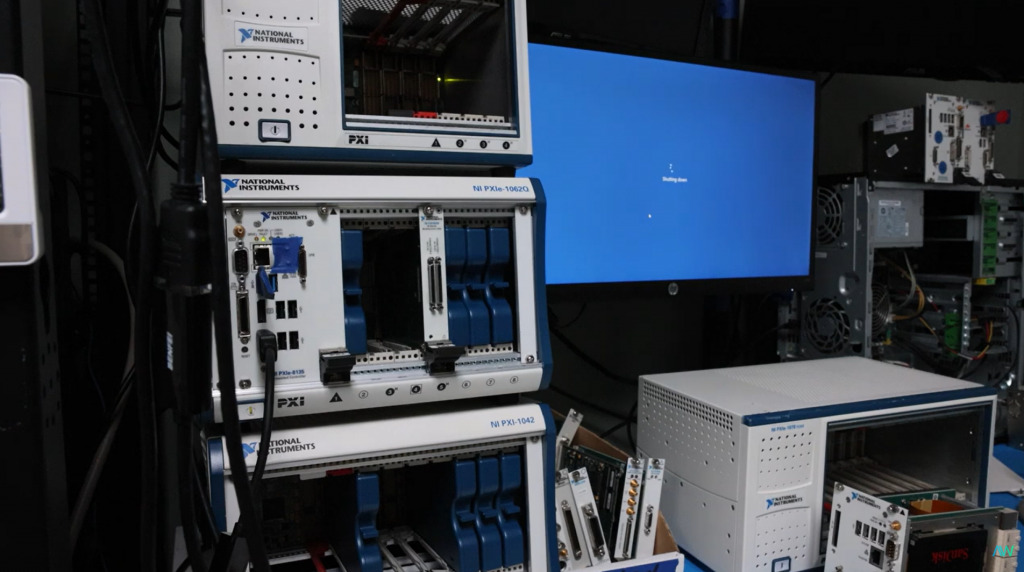
The environment surrounding your test equipment plays a significant role in how well it performs and how long it lasts. A clean, dry, and electrostatically safe workspace helps prevent damage from environmental factors that are often overlooked.
To optimize your workplace, consider starting with humidity. The recommended relative humidity range for most test equipment is between 20% and 60%. Levels outside this range can be harmful as excessive humidity can lead to corrosion, while too little can increase the risk of static electricity buildup, potentially silently damaging sensitive electronics. Using a hygrometer to monitor your workspace and a humidifier or dehumidifier to stabilize the range is a simple but effective option.
Air purifiers help reduce dust and airborne contaminants that could settle on components or clog ventilation systems. For electrostatic discharge (ESD) protection, always use ESD mats and grounded work surfaces when handling equipment. This is especially important when working with circuit boards or modules with exposed contacts.
Ventilation is another key factor to keep in mind. Blocked vents can cause internal temperatures to rise, reducing performance and accelerating wear. Be sure to maintain at least 4 inches of clearance around air intakes and exhausts to ensure proper airflow. Avoid stacking equipment or placing it near walls or barriers that may impede cooling.
Proper handling and operation practices will help protect your obsolete test equipment from unnecessary wear or sudden failure. One of the most important habits to adopt is powering down equipment before connecting or disconnecting any cables or modules. Failing to do so can cause voltage spikes, short circuits, or physical damage to connectors and internal circuitry. Always double-check that your device is powered off and discharged before making any changes to its configuration.
In addition, always operate your equipment within the manufacturer’s specified input and output voltage ranges. Exceeding these limits, even temporarily, can cause irreversible damage. Using manufacturer-approved accessories, such as power supplies, connectors, and interface cables, is another protective measure to follow. Incompatible accessories may not only degrade performance but can also introduce electrical or mechanical stress.
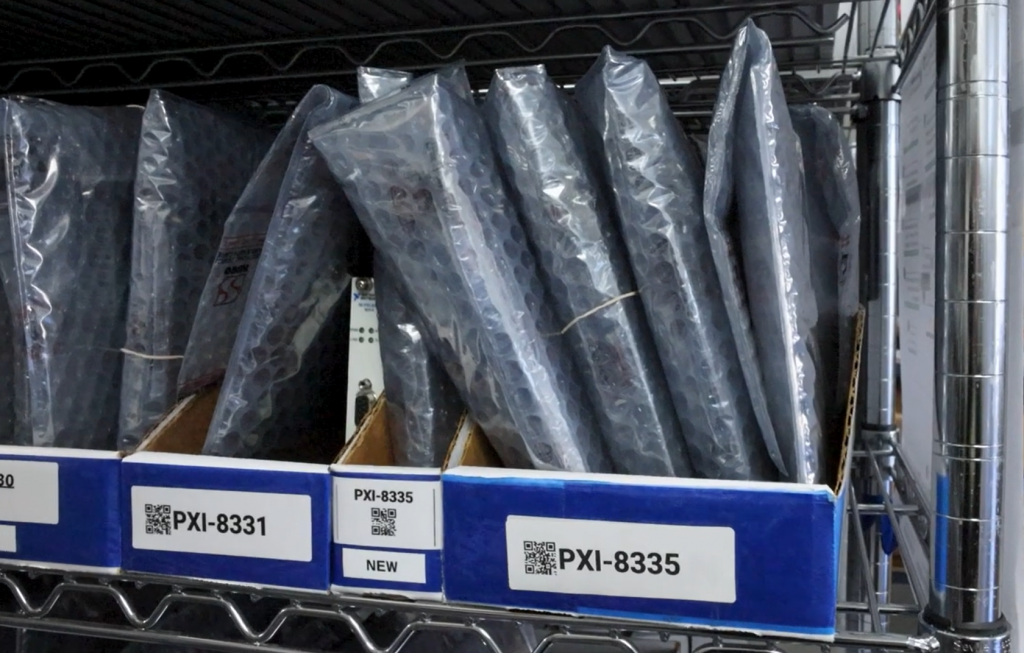
Proper storage is just as important as proper use, especially for legacy systems that may sit idle between projects. Whether your equipment is in long-term storage or simply off the bench for a few weeks, how and where you store it can significantly affect its lifespan and future performance.
Make sure to always store your test equipment in a clean, dry, and temperature-controlled environment. Humidity and temperature fluctuations can lead to condensation, corrosion, and eventual component failure. NI (Emerson) equipment is generally rated to operate within a range of 0–50°C (32–122°F), but storage conditions can be even broader. Be sure to look over the specific manual for the full recommended storage range.
Apex Waves supplies resources on our website for each of our parts, including technical specifications, manuals, and drivers, so you have all the information you need in one place!
Use protective covers to keep dust, debris, and contaminants from settling into ports or vents. For added protection against electrostatic discharge, store sensitive components in anti-static materials. At Apex Waves, for example, we use anti-static bubble bags to house shelf-stored parts, protecting them from both physical and electrical hazards while they await integration or shipment.
A detailed maintenance log helps you monitor the lifecycle of each device, spot patterns in performance or wear, and ensure that essential tasks such as calibration, cleaning, or part replacement are never overlooked.
Your log should include the dates of each calibration, any cleaning procedures performed, details about repairs or part replacements, and notes on any upgrades. This historical record becomes especially valuable when troubleshooting issues, scheduling service intervals, or preparing for audits in regulated environments. Referencing manufacturer-specific guidelines is a great way to keep your records accurate and relevant. Maintaining a log won’t just help you stay organized, but can improve decision making about service, storage, and usage!
Legacy test equipment can continue to deliver exceptional value well beyond their production lifespan—but only with proper care. By performing routine inspections, keeping your equipment clean, calibrating regularly, optimizing your workspace, storing equipment correctly, and maintaining a detailed service log, you can extend the life and reliability of your hardware.
Read our blog to learn more about legacy test equipment, trending topics in technology, aerospace & defense, and access how-to guides!
A monthly email packed with valuable content—industry news, tutorials, obsolescence updates, and more. No sales pitches, just insights we think you'll find helpful!
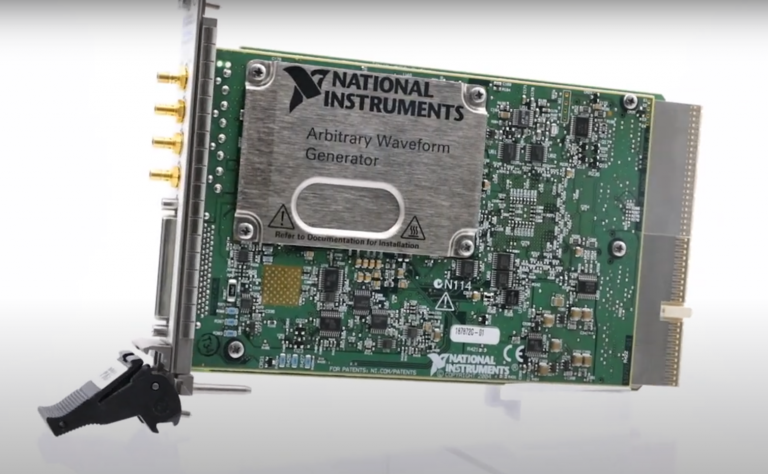
Listen to this blog post here. The National Instruments PXI-5441 is a powerful PXI waveform generator designed...

Click here to listen to this post. Companies in almost every industry are being transformed...
Listen to this post here. The PXIe Platform from National Instruments offers an incredibly valuable toolset for...

Click here to listen to this post instead. It is no secret that simulation and...